Use your photos or videos as wallpapers on your Samsung Galaxy
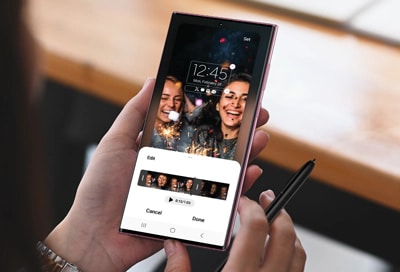
Personalize your Samsung Galaxy by using your favorite photos or videos as wallpapers for the Home or Lock screen. Whether you want to highlight special memories, family pictures, or fun clips, you can customize the look of your Galaxy device in just a few steps.
Note:
- Information provided applies to devices sold in Canada. Available screens and settings may vary for Samsung Galaxy phones and tablets in other countries.
- Photos and videos must be saved on your Samsung Galaxy before they can be used as wallpapers. If the content is stored online or in a cloud service, download it to your device first.
Elevate your Home screen by choosing a vibrant picture or a memorable moment from your gallery. Setting a personalized wallpaper is a quick and easy way to make your device truly yours.
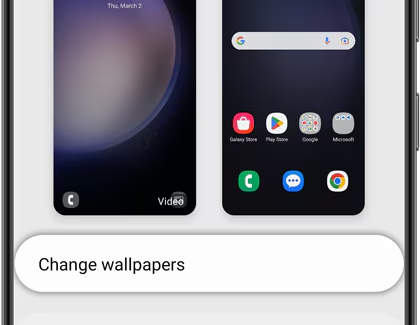
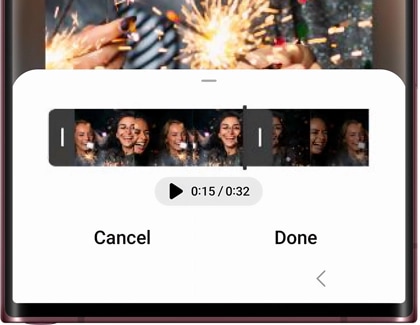
Bring your Home screen to life by setting a dynamic video as your wallpaper. It's a fun way to relive your favorite moments every time you unlock your phone.
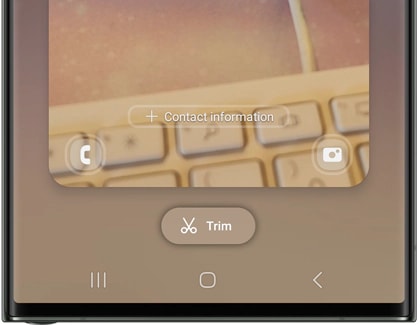
Note: You will need to have a Lock screen set up to use this feature.
Refresh the look of your Galaxy device by customizing the Lock screen with a photo or video that speaks to you. It’s an easy way to add a personal touch to your device.
Note: You will also need to enter your security credentials if you have chosen any option but Swipe for the screen lock type.
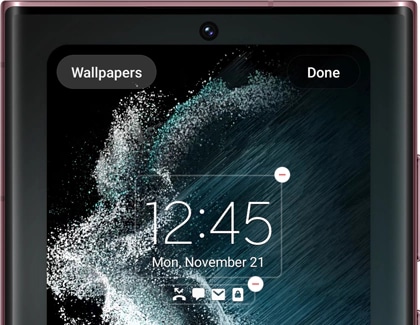
Why settle for static when you can have motion? Setting a video as your Lock screen wallpaper is a unique way to make your device stand out.
Note: You will also need to enter your security credentials if you have chosen any option but Swipe for the screen lock type.

Thank you for your feedback!
Please answer all questions.
RC01_Static Content : Hide call number function