Connect my Galaxy SmartTag with my smartphone
Last Update date : 18.02.2025
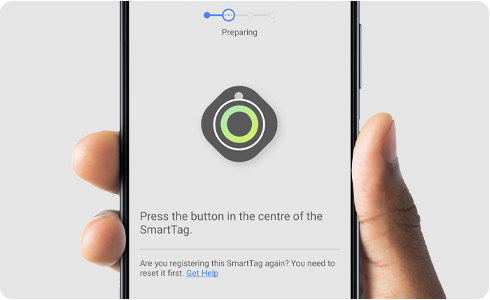
They are multiple reasons why your SmartTag is not showing when trying to connect it with your Bluetooth settings. If you're having this issue you can try the following:
- Confirm that the device you are trying to connect to can be found and connected to.
- Make sure the device you are trying to connect to is within range (120m, maximum Bluetooth connection range) of your smartphone.
- Reset the device and try searching again.If you still can´t see the device after performing these checks, try the following.
Keep reading to follow additional steps if none of the options above work.
Connecting your product with a Galaxy device
You wil need to press and hold the centre of your smartTag. You will hear a notification sound meaning is ready to connect. Once you turn it on, follow the next steps:
1
Open the SmartThings App
![Smarthings app Icon]()

2
Select Add
![Add option highlighted on the pairing screen]()

3
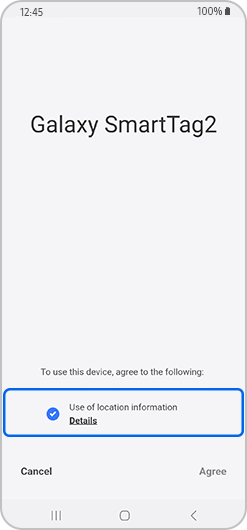
Accept the terms and conditions
![Terms and conditions selected.]()
4
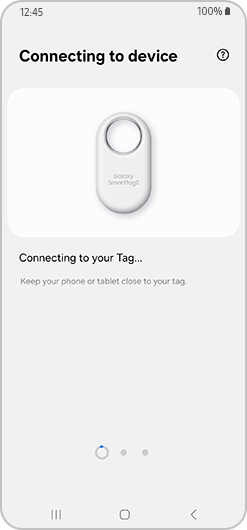
Connecting to SmartTag+ Tab
![Connecting the device screen.]()
5
Your SmartTag+ is being registered
![Registration screen.]()

6
Select Done to complete
![Done option selected]()

Please note: If you experience any battery problems, you can remove it and wait 20 minutes to replace it with a new CR2032 battery.
Thank you for your feedback!
Please answer all questions.