Dishwasher error codes - what do they mean?
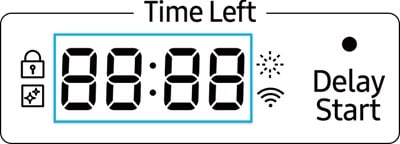
If you see a code consisting of numbers and letters on your dishwasher's display, it means there is a problem with the dishwasher. Here's a reference list so that you can identify what the problem is and what steps are needed. If the information code on your dishwasher is not listed here, you can download a user manual specific to your model by going to the User Manuals and Software Guides page.
Please note: Only models with a digital display can display an information code as an actual code. Models without a display will use blinking lights instead.
Information codes
Please note:
- If any information code keeps appearing on the screen after trying these solutions, please contact Samsung Support.
- If overflow occurs, turn off the main water supply before contacting Samsung Support.
- If there is water in the base pan because of an overfill or small leak, the water should be removed before restarting the dishwasher.
|
Code |
Symptom |
Solution |
|---|---|---|
|
1C |
Occurs when a dishwasher fails to start or stops early (fill sound, approximately 10-30 seconds), before displaying 1C. The dishwasher keeps trying to drain even when there’s basically no water inside.
|
Low-water level check:
|
|
3C, 3E |
The dishwasher fills but never begins active washing, shows no spray action and stops.
|
Power the unit off for one minute and retry.
|
|
4C, 4E |
The cycle may start with a brief drain, but little or no fresh water enters, leaving the tub dry and stopping.
|
Water supply check:
|
|
4C5, 4E5 |
The dishwasher may start, attempt to fill, then stop early with a dry tub.
|
|
|
5C, 5E |
The control expects the water level to drop but detects no change.
|
|
|
5C2 |
The dishwasher attempts to drain, but the pump either fails to start, runs only briefly or stalls.
|
|
|
6C / BE |
The dishwasher may beep, ignore commands, auto-select options or refuse to start because the control detects one or more keys being permanently pressed.
|
|
|
6C1 |
The dishwasher attempts to open or actuate the detergent dispenser but detects abnormal motor conditions - no movement, incorrect feedback or an open/overloaded circuit.
|
|
|
7C |
The dishwasher briefly attempts to move the bar, then stops, resulting in no spray action and extremely poor cleaning.
|
Contact Samsung Support.
|
|
9C1, UC, 9E1 |
The dishwasher has detected an abnormal or excessive voltage condition and has entered protection mode. It often appears after a power flicker, surge or breaker trip. The unit powers on but refuses to wash, even though there is no water or mechanical issue.
|
|
|
9C2 |
The dishwasher won’t start or stops mid-cycle. The panel powers on, but the unit won’t wash. It often appears after power issues like dimming lights, brownouts, breaker trips or running on an extension lead.
|
|
|
AC |
The dishwasher powers on but won’t start or run cycles. It may stop mid-cycle and become unresponsive, buttons won’t work properly or the appliance tries to start then immediately stops. Often follows door opening mid-cycle or after installation/movement.
|
|
|
AC6 |
The dishwasher switches on but won’t start or continue a cycle (electronically locked out). The control panel may light up but pressing “Start” does nothing.
|
|
|
bC2, bE2 |
The dishwasher won’t start or respond properly. The customer reports “buttons not working”, “panel stuck” or “keeps beeping”. The panel may seem to press itself or be locked on one option. Power and display are on, but controls are unresponsive.
|
Button check:
|
|
bC3, bE3 |
The dishwasher powers on, but the control panel does not respond or acts erratically, such as beeping continuously, options highlighting on their own or ignoring key presses. It often appears after wiping the panel, spills, steam exposure or moving/reinstalling the unit.
|
|
|
DC |
The dishwasher powers on but won’t start or stops shortly after pressing Start.
|
|
|
FC |
The dishwasher may power on and complete a wash, but it stops or shows FC during the dry phase. Dishes remain wet, there is little/no warm air at the vent or the machine beeps and ends early near the end of the cycle.
|
|
|
FC2, FC3, FC4 |
The dishwasher finishes washing but aborts or shows the code during drying. Dishes may remain wet, with little/no warm air at the vent.
|
|
|
HC, HE |
At times, the dishwasher powers on and may complete a wash, but it stops during or near the end of the cycle, showing HC. Drying may be poor or aborted, with a very hot, steamy interior.
|
High temperature check:
|
|
HC1 |
The dishwasher may stop partway or won’t finish a cycle, displaying HC1.
|
|
|
HC2 |
The dishwasher completes the wash but fails or ends early in the drying phase. Dishes remain wet with little/no warm air, or drying only runs briefly before stopping.
|
|
|
HC4 |
The dishwasher may complete a wash, but it fails during drying or ends early, immediately posting HC4. There is unusually hot air at the door vent just before stopping and beeping near the end.
|
Ensure nothing is covering the exterior vent and that loading inside the tub isn’t pressed up against the inner vent outlet, allowing hot air to move freely.
|
|
LC, LE |
The dishwasher won’t start or stops mid-cycle and immediately begins draining continuously while beeping and won’t accept a new program. Water may be visible under/around the unit, or a damp/steamy smell may be present.
|
Leakage check:
|
|
OC |
The dishwasher stops mid-cycle or won’t complete the cycle. There may be water leaks or small puddles at the bottom of the door, a continuous filling sound (water keeps entering) and strong detergent foam inside the tub (wrong detergent or excessive suds).
|
|
|
PC, PE |
The dishwasher powers on but won’t start a cycle or stops shortly after starting, often when options like Zone Wash / Half Load have been selected. Cleaning results are poor because the program won’t run while the fault is active.
|
|
|
tC, tE, tE1 |
The dishwasher powers on but won’t start a program or stops shortly after starting. It may try to wash briefly and then quits or never begins the wash.
|
|
|
tC1, tC2 |
The dishwasher completes the washing phase but fails during drying or ends early.
|
|
Code to Open Chat Window & Covid hash link
Thank you for your feedback!
Please answer all questions.